Add a plant
Enter the species yourself or opt in to photo identification, then choose where the plant lives.
Houseplant care · iPhone
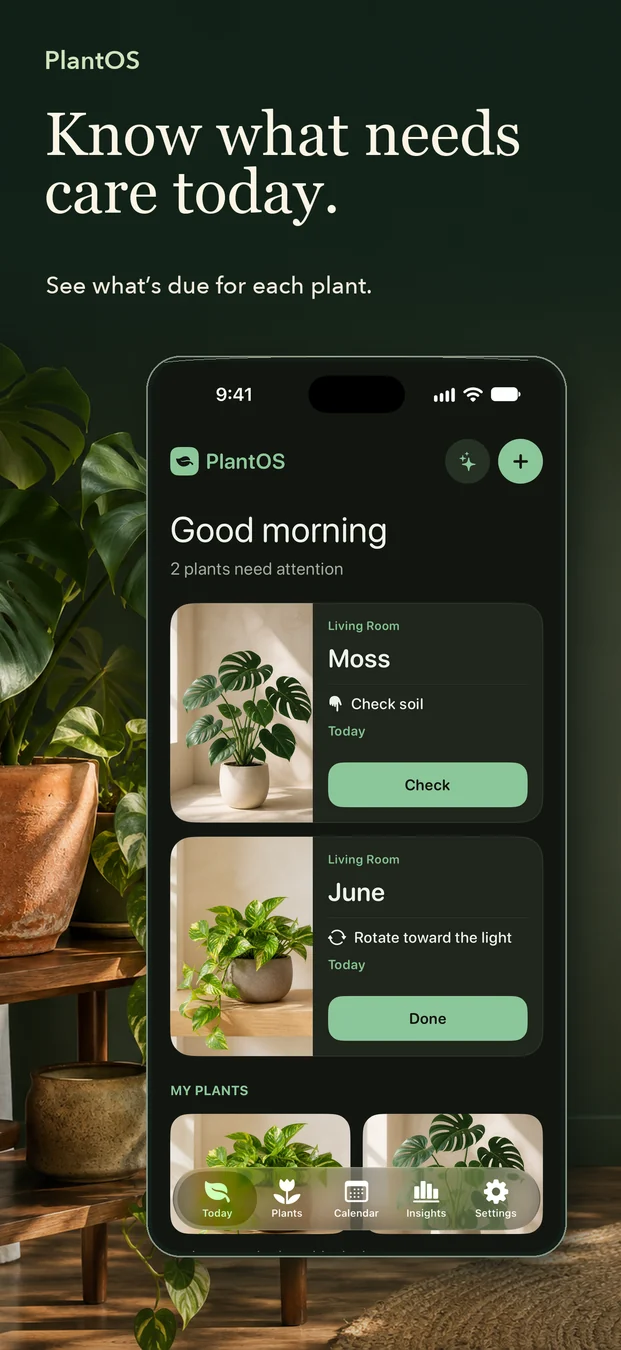
Know what to check today.
PlantOS keeps a care plan for each plant. Check the soil, record what you find, and see whether to water, wait, or check again later.
01
Most plants need to be checked before they need to be watered. PlantOS gives each plant its own check-in schedule and updates it using what you observe at home.
02
Built an on-device care engine that combines species guidance, pot and room conditions, soil checks, and watering history to decide the next check.
Reconciled notifications and widget entries after care is recorded or a plant is archived, so the next reminder reflects the current garden.
Separated optional cloud identification, health observations, and Q&A from offline care. The first photo asks permission in the add flow before any upload.
Built an export with its own preview so people can check a backup before restoring it on a new iPhone.
Enter the species yourself or opt in to photo identification, then choose where the plant lives.
Open Today and follow the plant’s check. Dry soil can lead to watering or postponing. Moist or wet soil leads to waiting.
Save the result to the plant’s history. The care engine updates the next scheduled check.
PlantOS keeps care decisions on-device. Its app and widgets share a versioned SwiftData store through an Apple App Group.
03
PlantOS 1.0 build 2 is on internal TestFlight. The core care loop, backups, accessibility checks, and first-photo consent have simulator coverage. Production subscription verification remains a release check.
Core stack
PlantOS support


The studio
Every page here is on the computer in that room.
Enter the studio